Find your way around Display Local
Understand accounts, displays, advertising, and the shared Media Library.
Overview
An account is the home for your business details, team, media, displays, and adverts. Your dashboard lets you select a display you own or an Advertising destination for community screens. The Media Library below is shared within that account.
Use a display when you want to manage the slideshow on your own screen. Use Advertising when you want to submit a message to a community network. Each destination has its own content and settings.
Step by step
Sign in and open the account you want to manage.
Use the Display and Advertising cards at the top of the dashboard to choose a destination. If you have several destinations, check the selected name before making changes.
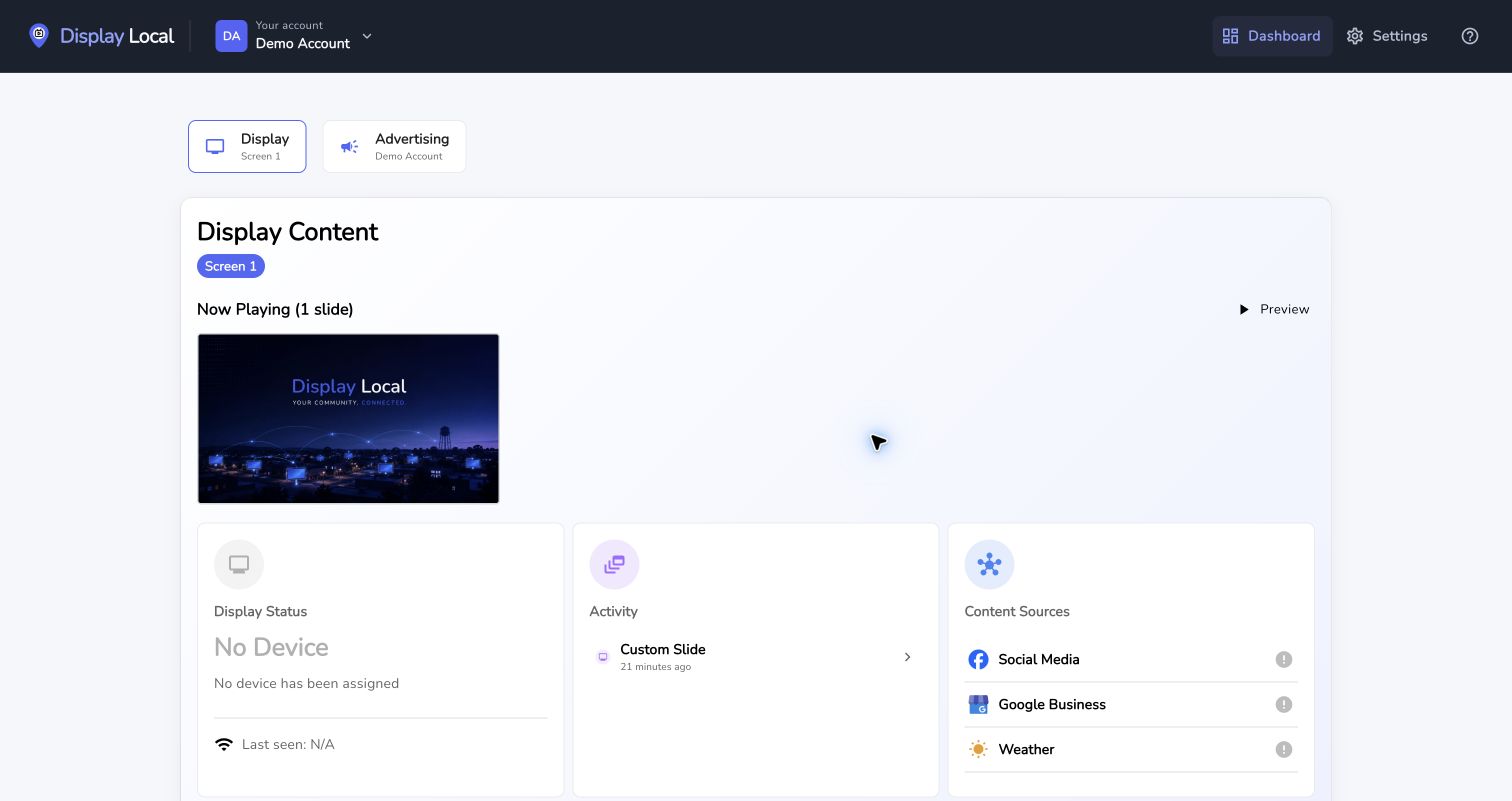
Select your display before working with its content. Select the image to view it full size. Use Display Content and Preview for your own slideshow, or the community advert card to review your message and its status.
Scroll to the Media Library to upload or choose your artwork.
Open Settings for business details, team members, and plans.
Good to know
Available content sources and community tools depend on your account and access.
Changing the selected destination does not move an existing slide from one destination to another.
Need help with this task? Tell us which account, display, or advert you’re working on.
Contact support