Submit a design for community screens
Send your community advert to the review queue.
Overview
Use Advertising and the Media Library for a finished design. Add to advertisement saves your design and submits it for review immediately.
Step by step
Open Advertising on your account dashboard.
Choose the design from Media Library.
In Slide Preview, check Fit or Fill, the background, and important text.
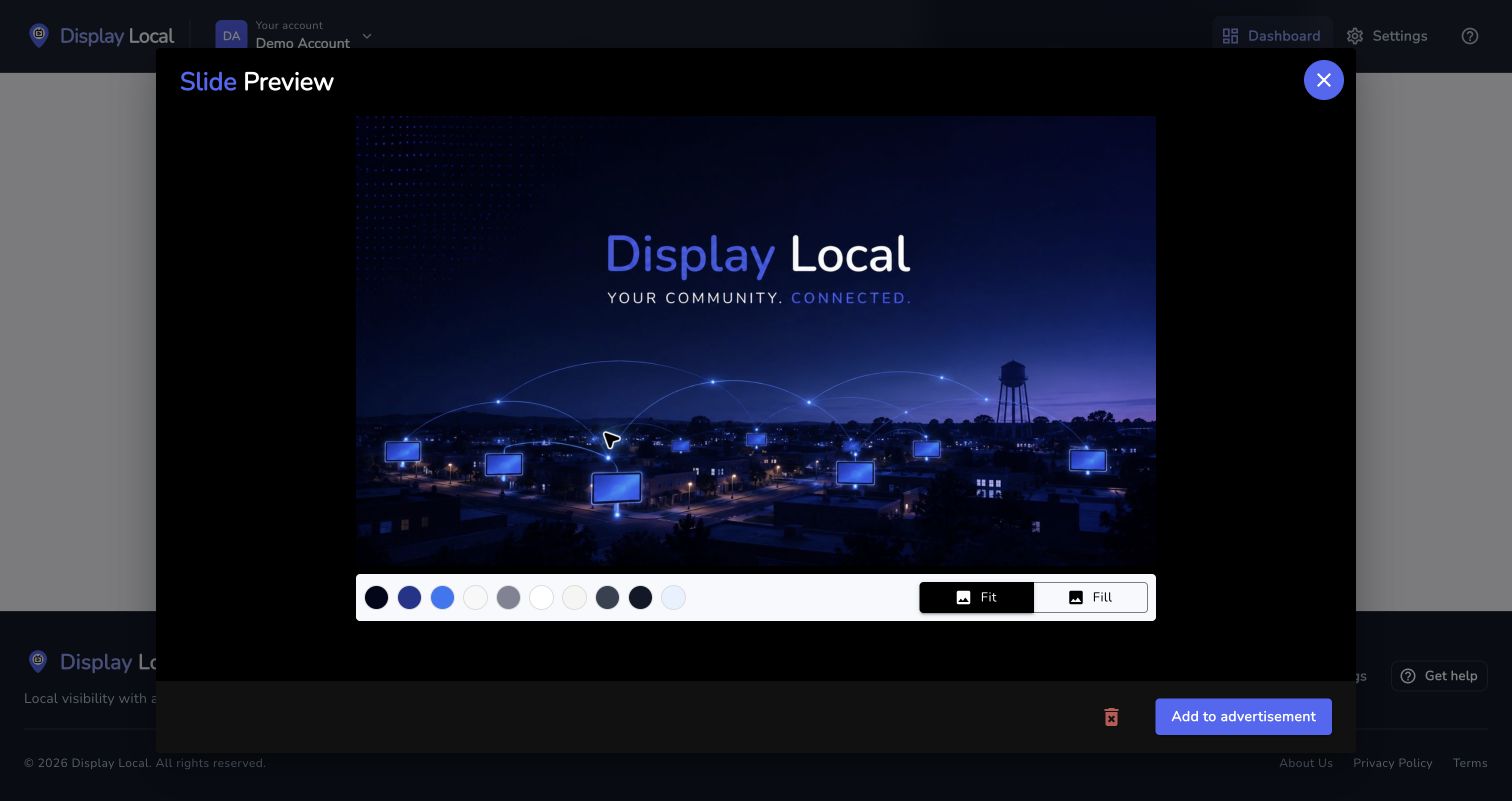
Check your artwork before choosing Add to advertisement. Select the image to view it full size. Select Add to advertisement and choose the intended advert if asked.
Wait for the confirmation and check that your advert says In Review.
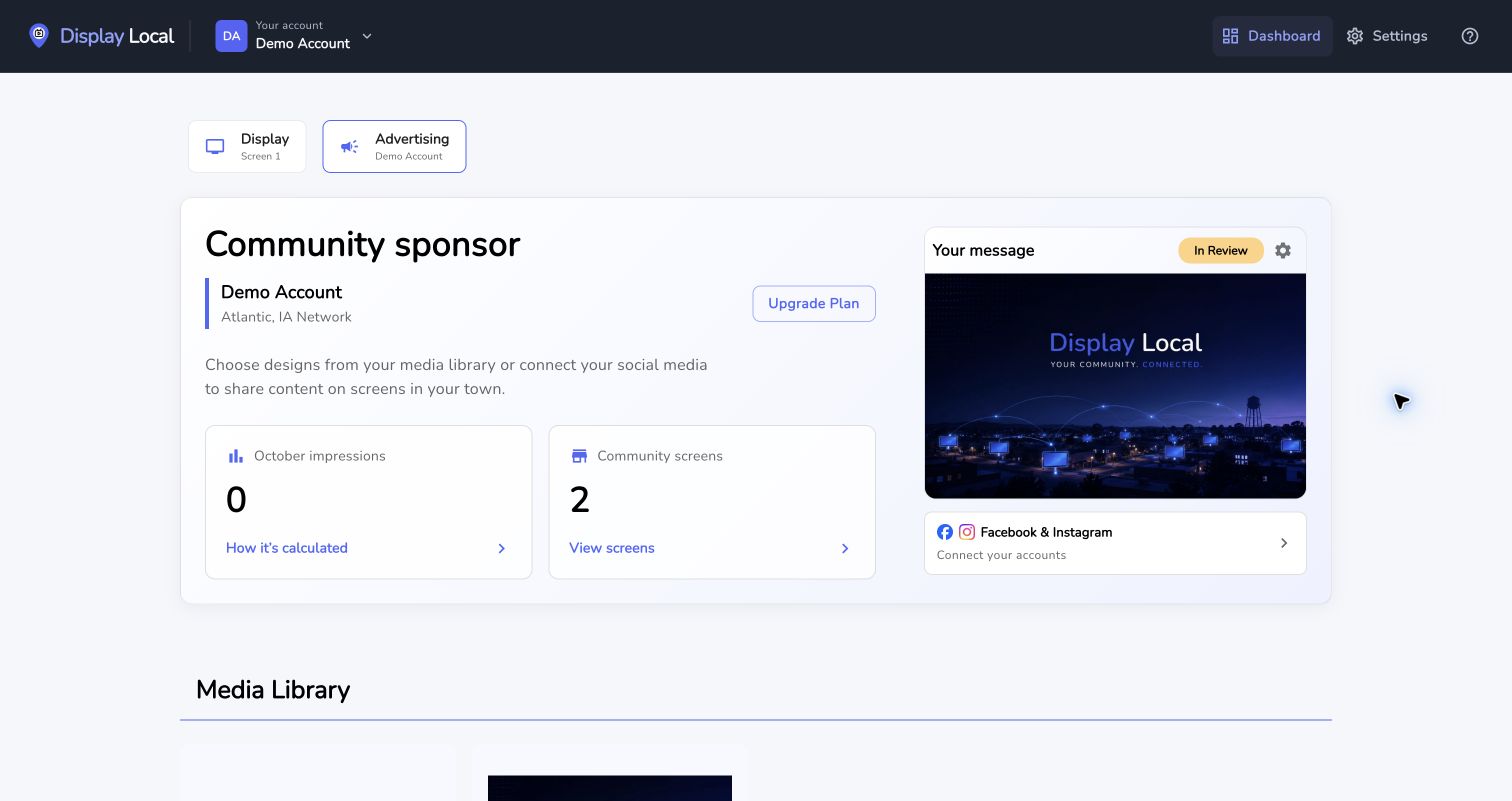
After submission, the message is In Review until it is approved. Select the image to view it full size.
Good to know
Add to advertisement sends a review notification; no extra Publish Changes step is required for this library flow.
Submission is not approval; content must pass review before joining the approved network rotation.
Watch the tutorial
Need help with this task? Tell us which account, display, or advert you’re working on.
Contact support