Digital signage for physical therapy
Prompt patients to tell their therapist which everyday movements they want to get back to. Choose the topics that fit your business. Display Local automatically updates your screen with tips on those topics.
Physical therapy
Your everyday movements matter.
Tell your physical therapist which daily activities feel difficult. Getting out of a chair counts, too.
Topics for your screen
Think about the questions you hear every day. Display Local turns the topics you choose into on-screen tips that help start those conversations.
Mobility
Which movement has become more difficult since my last visit?
Everyday movement
Which daily task would I like to feel more comfortable doing?
Injury prevention
What should I ask my therapist before returning to a sport?
Add updates from your team
Schedule your hours, offers, photos, or videos to play alongside your automated tips.
Connect your Facebook Page or linked Instagram account to show new posts on screen automatically. Add your Google Business Profile to feature customer reviews, too.
The local lineup
Show what’s happening nearby
Choose your town to add local events and community notices alongside your business tips. Explore a sample event or see how the local forecast looks on screen.
Local happenings. Weather at a glance.
Display Local finds events and updates from local sources, turns them into slides, and brings approved content to your screen. Dated slides leave the lineup when they expire. Add local weather for conditions and forecasts that update automatically.
A quick look at local conditions, today’s high and low, and the forecast. Sample weather shown.
Sample content · Available updates depend on your community and local sources.
Choose your screen setup
$299 per screen, per year
At signup, choose one of the two devices. Shipping, setup help, and your first year of content are included. Annual renewals cover ongoing service.

15.6-inch counter screen
A complete setup for your checkout counter.
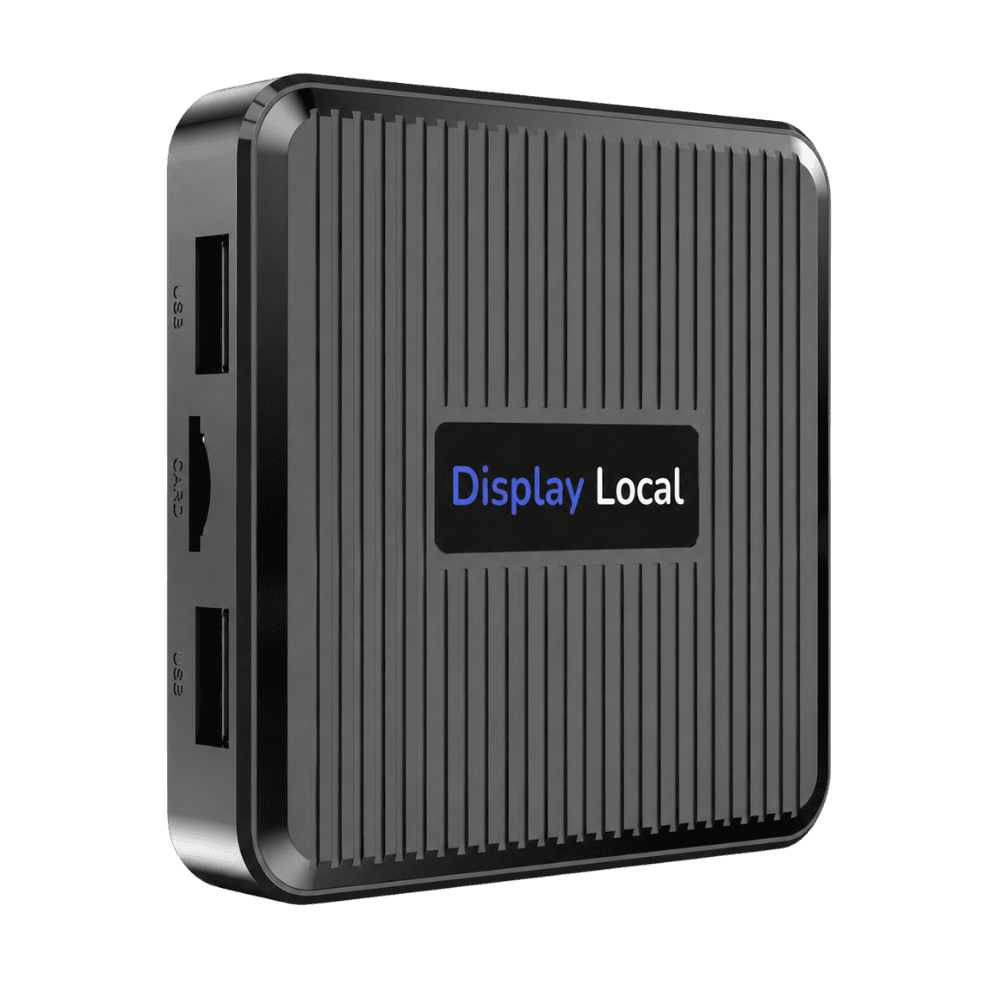
TV player
Connects to the HDMI port on your existing TV.
Content, setup, and pricing questions
What kind of business content can we show?
Mobility, everyday movement, and injury prevention. Choose the topics your customers ask about. Display Local automatically adds fresh tips to your screen as they’re approved.
How do we get started?
Connect the counter display to power and Wi-Fi, or plug the player into an existing HDMI TV. Choose your business topics and town in the dashboard. Setup help is included.
When will our first tips appear?
If tips are ready for a topic you choose, they can start playing as soon as you select it. For a new topic, our team prepares and reviews the first tips, then they appear on your screen automatically.
Does content change with the season?
Yes. Seasonal reminders rotate alongside year-round tips for the topics you select.
Can we show our own services and offers?
Yes. Automated business content provides general education for your type of business. Add your own service details, offers, hours, and announcements through custom uploads, scheduled designs, or supported social media and Google Business connections.
How does community content work?
Choose your town or neighborhood. Display Local finds local events and notices and turns them into slides. Community content is reviewed before approval, and dated content leaves the lineup when it expires. Available updates depend on local sources.
How much does it cost?
$299/year per screen, including a 15.6-inch counter display or TV player at initial signup and shipping. Annual renewals cover service, not a new device each year.
