Connected content
Find automatic content sources
Keep a display fresh with connected content.
Overview
Content Sources belongs to the display selected on your dashboard. Use it to configure social posts, Google Business information and weather. A connection on one display does not select that source for every display in the account.
Step by step
Open your account dashboard.
Select the display you want to update.
Find Content Sources beside the screen status and activity cards.
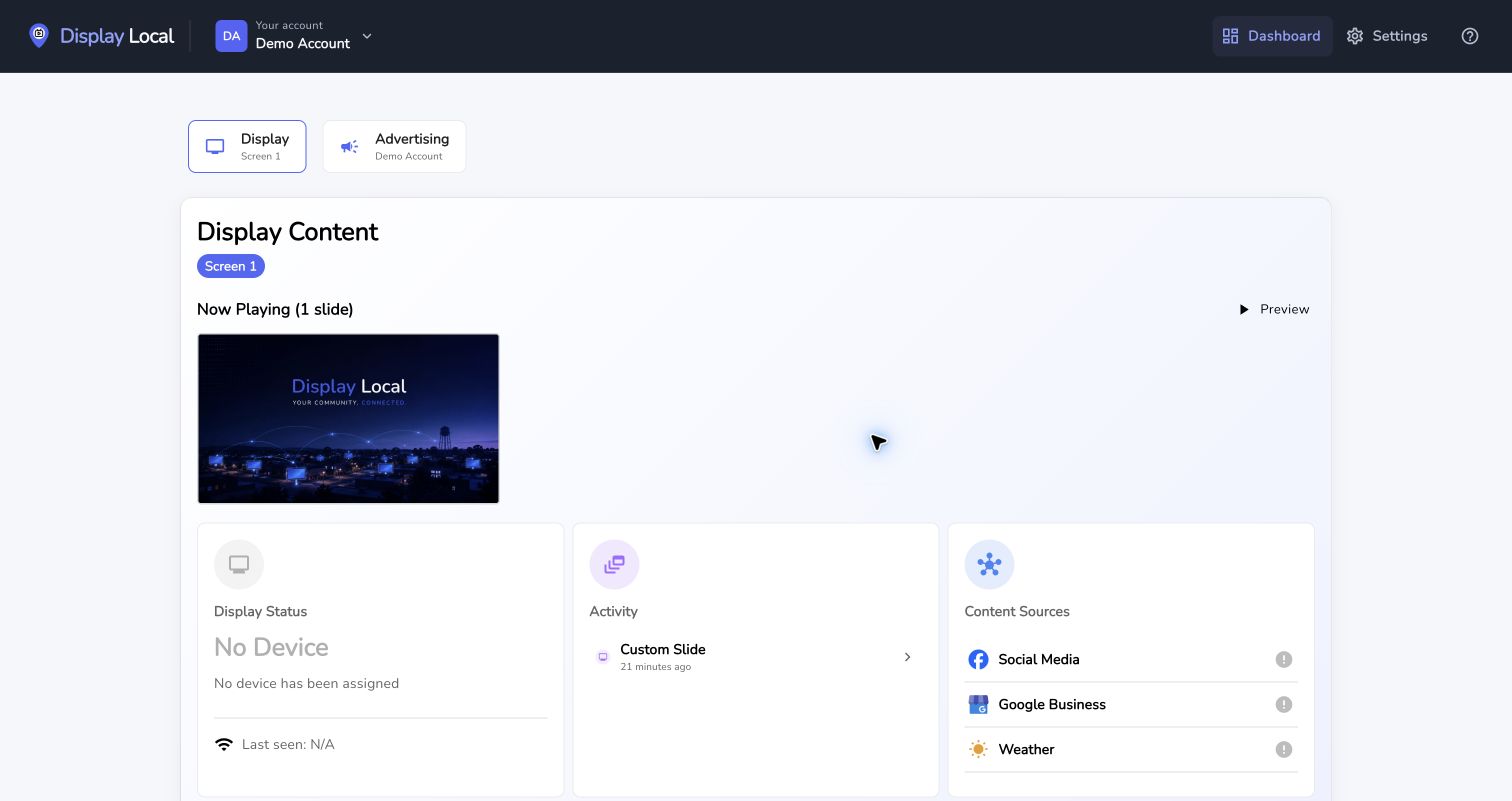
Select your display before working with its content. Select the image to view it full size. Choose a source and follow its setup instructions.
Preview the updated display after adding the source.
Good to know
Square and Clover appear only on accounts where those integrations are enabled. Pharmacy content appears for pharmacy accounts.
Need help with this task? Tell us which account, display, or advert you’re working on.
Contact support